You can manage {name} with the Prefect CLI, Terraform provider, or Prefect API.
; Events can represent API calls, state transitions, or changes in your execution environment or infrastructure. Events power several Prefect features, including flow run logs and [automations](/v3/concepts/automations/). In Prefect Cloud, events power [audit logs](/v3/how-to-guides/cloud/manage-users/audit-logs).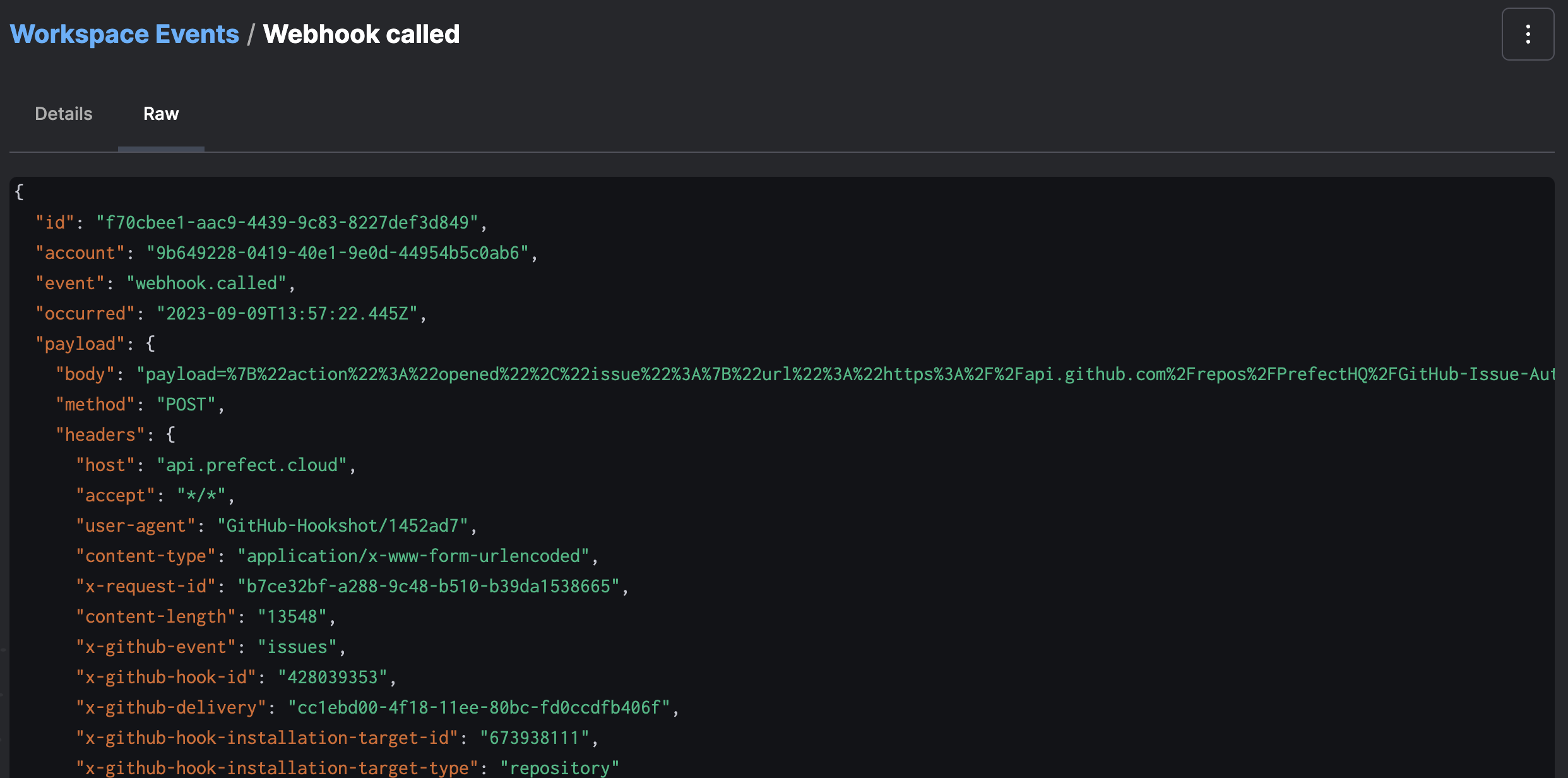 | Name | Type | Required? | Description |
| -------- | ------ | --------- | --------------------------------------------------------------- |
| occurred | String | yes | When the event happened |
| event | String | yes | Name of the event that happened |
| resource | Object | yes | Primary resource this event concerns |
| related | Array | no | List of additional Resources involved in this event |
| payload | Object | no | Open-ended set of data describing what happened |
| id | String | yes | Client-provided identifier of this event |
| follows | String | no | ID of an event that is known to have occurred prior to this one |
## Event grammar
Events can be named arbitrarily, but are recommended to follow a consistent and informative grammar. An event describes a resource and an action it took—
or that was taken—on that resource.
For example, events emitted automatically by Prefect objects take the following form:
```
prefect.block.write-method.called
prefect-cloud.automation.action.executed
prefect-cloud.user.logged-in
```
See how to [emit and use custom events](/v3/advanced/use-custom-event-grammar) to trigger automations.
## Resources
Every event has a primary resource, which describes the object that emitted an event.
Resources are used as quasi-stable identifiers for sources of events, and are represented as dot-delimited strings.
For example:
```
prefect-cloud.automation.5b9c5c3d-6ca0-48d0-8331-79f4b65385b3.action.0
acme.user.kiki.elt_script_1
prefect.flow-run.e3755d32-cec5-42ca-9bcd-af236e308ba6
```
Resources can have additional arbitrary labels which can be used in event aggregation queries.
For example:
```json theme={null}
"resource": {
"prefect.resource.id": "prefect-cloud.automation.5b9c5c3d-6ca0-48d0-8331-79f4b65385b3",
"prefect-cloud.action.type": "call-webhook"
}
```
Events may contain related resources, used to associate the event with other resources.
For example, a primary resource can act on or with another resource.
Here is an example of a related resource:
```json theme={null}
"resource": {
"prefect.resource.id": "prefect-cloud.automation.5b9c5c3d-6ca0-48d0-8331-79f4b65385b3.action.0",
"prefect-cloud.action.type": "call-webhook"
},
"related": [
{
"prefect.resource.id": "prefect-cloud.automation.5b9c5c3d-6ca0-48d0-8331-79f4b65385b3",
"prefect.resource.role": "automation",
"prefect-cloud.name": "webhook_body_demo",
"prefect-cloud.posture": "Reactive"
}
]
```
## Respond to events
From any event detail page, you can configure an [automation](/v3/concepts/automations/) to trigger on
the observation of matching events—or a lack of matching events—by clicking the automate button in the overflow menu:
| Name | Type | Required? | Description |
| -------- | ------ | --------- | --------------------------------------------------------------- |
| occurred | String | yes | When the event happened |
| event | String | yes | Name of the event that happened |
| resource | Object | yes | Primary resource this event concerns |
| related | Array | no | List of additional Resources involved in this event |
| payload | Object | no | Open-ended set of data describing what happened |
| id | String | yes | Client-provided identifier of this event |
| follows | String | no | ID of an event that is known to have occurred prior to this one |
## Event grammar
Events can be named arbitrarily, but are recommended to follow a consistent and informative grammar. An event describes a resource and an action it took—
or that was taken—on that resource.
For example, events emitted automatically by Prefect objects take the following form:
```
prefect.block.write-method.called
prefect-cloud.automation.action.executed
prefect-cloud.user.logged-in
```
See how to [emit and use custom events](/v3/advanced/use-custom-event-grammar) to trigger automations.
## Resources
Every event has a primary resource, which describes the object that emitted an event.
Resources are used as quasi-stable identifiers for sources of events, and are represented as dot-delimited strings.
For example:
```
prefect-cloud.automation.5b9c5c3d-6ca0-48d0-8331-79f4b65385b3.action.0
acme.user.kiki.elt_script_1
prefect.flow-run.e3755d32-cec5-42ca-9bcd-af236e308ba6
```
Resources can have additional arbitrary labels which can be used in event aggregation queries.
For example:
```json theme={null}
"resource": {
"prefect.resource.id": "prefect-cloud.automation.5b9c5c3d-6ca0-48d0-8331-79f4b65385b3",
"prefect-cloud.action.type": "call-webhook"
}
```
Events may contain related resources, used to associate the event with other resources.
For example, a primary resource can act on or with another resource.
Here is an example of a related resource:
```json theme={null}
"resource": {
"prefect.resource.id": "prefect-cloud.automation.5b9c5c3d-6ca0-48d0-8331-79f4b65385b3.action.0",
"prefect-cloud.action.type": "call-webhook"
},
"related": [
{
"prefect.resource.id": "prefect-cloud.automation.5b9c5c3d-6ca0-48d0-8331-79f4b65385b3",
"prefect.resource.role": "automation",
"prefect-cloud.name": "webhook_body_demo",
"prefect-cloud.posture": "Reactive"
}
]
```
## Respond to events
From any event detail page, you can configure an [automation](/v3/concepts/automations/) to trigger on
the observation of matching events—or a lack of matching events—by clicking the automate button in the overflow menu:
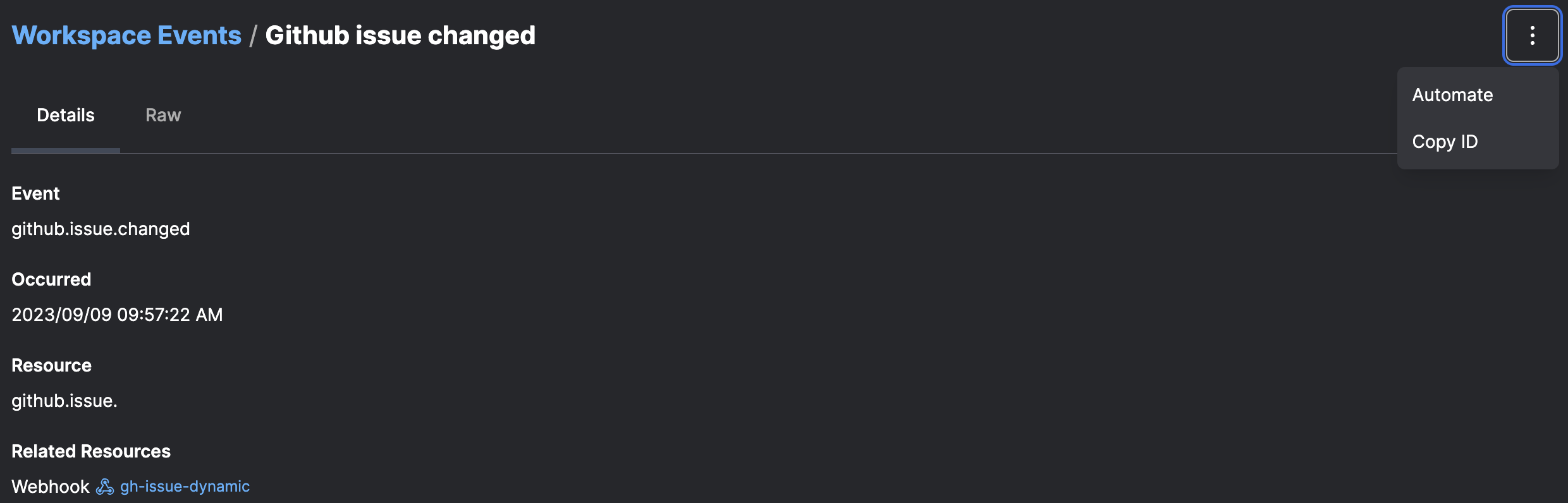 The default trigger configuration fires every time it sees an event with a matching resource identifier.
Advanced configuration is possible through [custom event triggers](/v3/concepts/event-triggers/).
## Further reading
* [Events reference](/v3/api-ref/events): comprehensive catalog of every event emitted by Prefect, Prefect Cloud, and integrations
* [How to create automations](/v3/how-to-guides/automations/creating-automations/)
* [How to create webhooks](/v3/how-to-guides/cloud/create-a-webhook/)
The default trigger configuration fires every time it sees an event with a matching resource identifier.
Advanced configuration is possible through [custom event triggers](/v3/concepts/event-triggers/).
## Further reading
* [Events reference](/v3/api-ref/events): comprehensive catalog of every event emitted by Prefect, Prefect Cloud, and integrations
* [How to create automations](/v3/how-to-guides/automations/creating-automations/)
* [How to create webhooks](/v3/how-to-guides/cloud/create-a-webhook/)