> ## Documentation Index
> Fetch the complete documentation index at: https://docs.prefect.io/llms.txt
> Use this file to discover all available pages before exploring further.
# How to run a local Prefect server
> Get started with self-hosting by running Prefect server locally.
The [Prefect CLI](/v3/get-started/install) is the easiest way to start a local instance of Prefect server.
## Start the server
1. Spin up a self-hosted Prefect server instance UI with the `prefect server start` CLI command in the terminal:
```bash theme={null}
prefect server start
```
2. Open the URL for the Prefect server UI ([http://127.0.0.1:4200](http://127.0.0.1:4200) by default) in a browser.
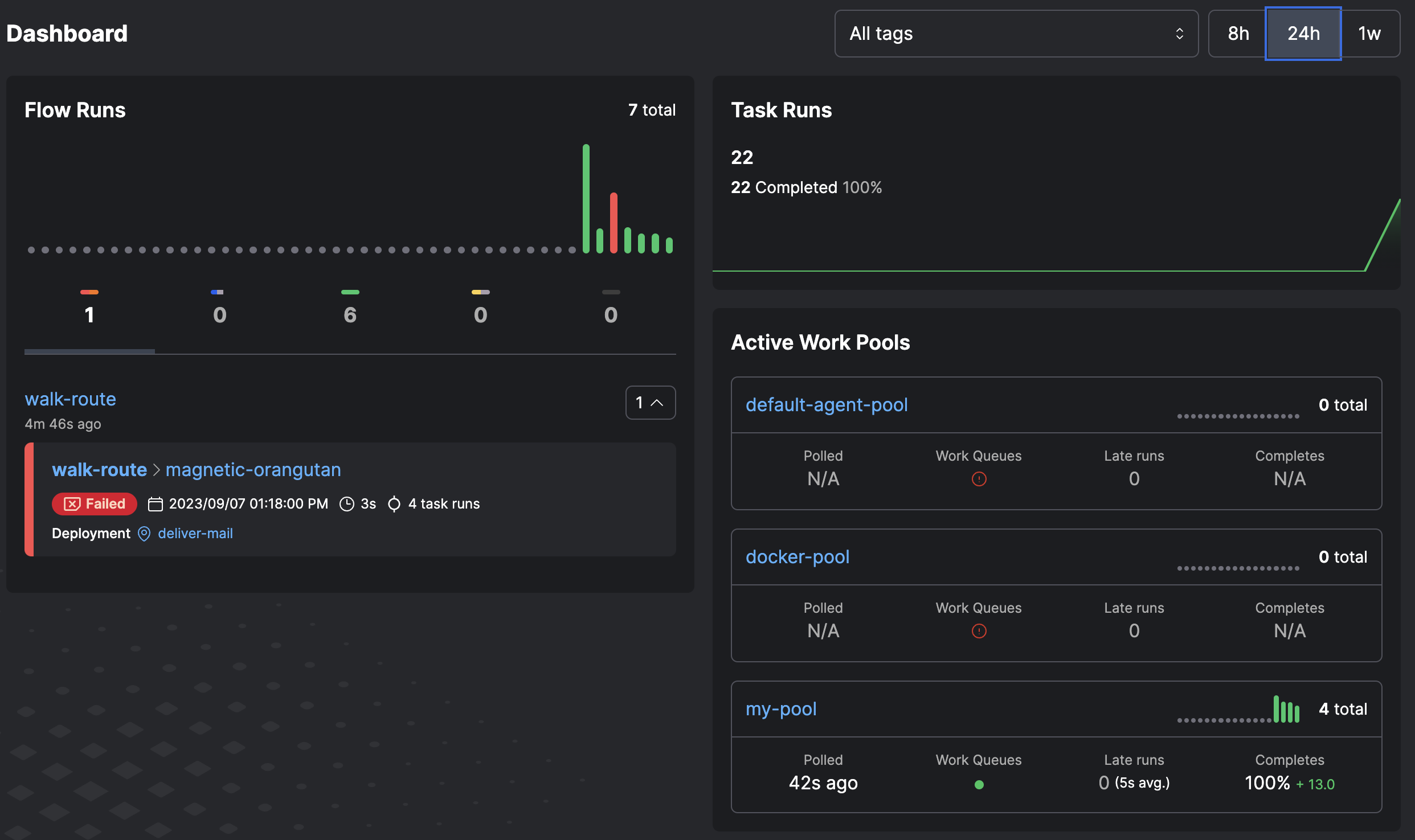 3. Shut down the Prefect server with ctrl + c in the terminal.
## Configure the server
Go to your terminal session and run this command to set the API URL to point to a self-hosted Prefect server instance:
```bash theme={null}
prefect config set PREFECT_API_URL="http://127.0.0.1:4200/api"
```
You can save the API server address in a Prefect profile.
Whenever that profile is active, the API endpoint is at that address.
See [Profiles and configuration](/v3/develop/settings-and-profiles/) for more information on profiles and configurable Prefect settings.
## Database configuration
### Use SQLite (default)
By default, Prefect uses a SQLite database stored at `~/.prefect/prefect.db`. No additional configuration is needed for basic use.
### Use PostgreSQL
To use PostgreSQL as your database backend:
1. Set the database connection URL:
```bash theme={null}
prefect config set PREFECT_SERVER_DATABASE_CONNECTION_URL="postgresql+asyncpg://postgres:yourTopSecretPassword@localhost:5432/prefect"
```
2. Start the server:
```bash theme={null}
prefect server start
```
For more database configuration options, see the [database settings reference](/v3/api-ref/settings-ref#database).
## Database management commands
### Reset the database
Clear all data and reapply the schema:
```bash theme={null}
prefect server database reset -y
```
### Manage migrations
Apply database migrations:
```bash theme={null}
# Upgrade to the latest version
prefect server database upgrade -y
# Downgrade to the previous version
prefect server database downgrade -y -r -1
# Downgrade to a specific revision
prefect server database downgrade -y -r d20618ce678e
```
For large databases, you may need to increase the timeout:
```bash theme={null}
export PREFECT_SERVER_DATABASE_TIMEOUT=600
prefect server database upgrade -y
```
## Multi-worker API server
For high-throughput scenarios, you can run the server with multiple worker processes to handle concurrent requests more efficiently:
```bash theme={null}
prefect server start --workers 4
```
This starts 4 worker processes to handle API and UI requests concurrently.
### Requirements for multi-worker mode
Multi-worker mode has specific infrastructure requirements:
1. **PostgreSQL database** — SQLite is not supported due to database locking issues
2. **Redis for messaging, event ordering, and concurrency lease storage** — the in-memory defaults do not work across processes
`prefect server start --workers` validates these requirements at startup. If any required
Redis-backed setting is still using its in-memory default, the server exits with an error
before starting. See the configuration example below for the full set of required settings.
### Configuration example
```bash theme={null}
# Set PostgreSQL connection
prefect config set PREFECT_SERVER_DATABASE_CONNECTION_URL="postgresql+asyncpg://postgres:password@localhost:5432/prefect"
# Configure Redis-backed messaging, event ordering, and lease storage
prefect config set PREFECT_MESSAGING_BROKER="prefect_redis.messaging"
prefect config set PREFECT_MESSAGING_CACHE="prefect_redis.messaging"
prefect config set PREFECT_SERVER_EVENTS_CAUSAL_ORDERING="prefect_redis.ordering"
prefect config set PREFECT_SERVER_CONCURRENCY_LEASE_STORAGE="prefect_redis.lease_storage"
# Configure Redis connection
export PREFECT_REDIS_MESSAGING_HOST="redis"
export PREFECT_REDIS_MESSAGING_PORT="6379"
export PREFECT_REDIS_MESSAGING_DB="0"
# Start server with 4 workers
prefect server start --workers 4
```
For a complete Redis setup including authentication, TLS, and Docket coordination for
background services, see [How to scale self-hosted Prefect](/v3/advanced/self-hosted).
The number of workers should typically match the number of CPU cores available to your server process, but you may need to experiment to find the optimal value for your workload.
## Advanced configuration
For advanced deployment scenarios including:
* Running behind a reverse proxy
* Configuring SSL certificates
* Multi-server deployments
* Handling migration issues
See [How to scale self-hosted Prefect](/v3/advanced/self-hosted).
3. Shut down the Prefect server with ctrl + c in the terminal.
## Configure the server
Go to your terminal session and run this command to set the API URL to point to a self-hosted Prefect server instance:
```bash theme={null}
prefect config set PREFECT_API_URL="http://127.0.0.1:4200/api"
```
You can save the API server address in a Prefect profile.
Whenever that profile is active, the API endpoint is at that address.
See [Profiles and configuration](/v3/develop/settings-and-profiles/) for more information on profiles and configurable Prefect settings.
## Database configuration
### Use SQLite (default)
By default, Prefect uses a SQLite database stored at `~/.prefect/prefect.db`. No additional configuration is needed for basic use.
### Use PostgreSQL
To use PostgreSQL as your database backend:
1. Set the database connection URL:
```bash theme={null}
prefect config set PREFECT_SERVER_DATABASE_CONNECTION_URL="postgresql+asyncpg://postgres:yourTopSecretPassword@localhost:5432/prefect"
```
2. Start the server:
```bash theme={null}
prefect server start
```
For more database configuration options, see the [database settings reference](/v3/api-ref/settings-ref#database).
## Database management commands
### Reset the database
Clear all data and reapply the schema:
```bash theme={null}
prefect server database reset -y
```
### Manage migrations
Apply database migrations:
```bash theme={null}
# Upgrade to the latest version
prefect server database upgrade -y
# Downgrade to the previous version
prefect server database downgrade -y -r -1
# Downgrade to a specific revision
prefect server database downgrade -y -r d20618ce678e
```
For large databases, you may need to increase the timeout:
```bash theme={null}
export PREFECT_SERVER_DATABASE_TIMEOUT=600
prefect server database upgrade -y
```
## Multi-worker API server
For high-throughput scenarios, you can run the server with multiple worker processes to handle concurrent requests more efficiently:
```bash theme={null}
prefect server start --workers 4
```
This starts 4 worker processes to handle API and UI requests concurrently.
### Requirements for multi-worker mode
Multi-worker mode has specific infrastructure requirements:
1. **PostgreSQL database** — SQLite is not supported due to database locking issues
2. **Redis for messaging, event ordering, and concurrency lease storage** — the in-memory defaults do not work across processes
`prefect server start --workers` validates these requirements at startup. If any required
Redis-backed setting is still using its in-memory default, the server exits with an error
before starting. See the configuration example below for the full set of required settings.
### Configuration example
```bash theme={null}
# Set PostgreSQL connection
prefect config set PREFECT_SERVER_DATABASE_CONNECTION_URL="postgresql+asyncpg://postgres:password@localhost:5432/prefect"
# Configure Redis-backed messaging, event ordering, and lease storage
prefect config set PREFECT_MESSAGING_BROKER="prefect_redis.messaging"
prefect config set PREFECT_MESSAGING_CACHE="prefect_redis.messaging"
prefect config set PREFECT_SERVER_EVENTS_CAUSAL_ORDERING="prefect_redis.ordering"
prefect config set PREFECT_SERVER_CONCURRENCY_LEASE_STORAGE="prefect_redis.lease_storage"
# Configure Redis connection
export PREFECT_REDIS_MESSAGING_HOST="redis"
export PREFECT_REDIS_MESSAGING_PORT="6379"
export PREFECT_REDIS_MESSAGING_DB="0"
# Start server with 4 workers
prefect server start --workers 4
```
For a complete Redis setup including authentication, TLS, and Docket coordination for
background services, see [How to scale self-hosted Prefect](/v3/advanced/self-hosted).
The number of workers should typically match the number of CPU cores available to your server process, but you may need to experiment to find the optimal value for your workload.
## Advanced configuration
For advanced deployment scenarios including:
* Running behind a reverse proxy
* Configuring SSL certificates
* Multi-server deployments
* Handling migration issues
See [How to scale self-hosted Prefect](/v3/advanced/self-hosted).